• Skip to primary navigation
  • Skip to main content
  • Skip to footer
  • facebook
  • Instagram
  • Mail
  • Book a Tee Time
  • Request a Donation
bayou oaks

Bayou Oaks at City Park

  • Home
  • Golf
    • Operation36
    • North Course
    • South Course
    • Book a Tee Time
    • Rental Clubs
    • Driving Range
    • Golf Shop
    • Instructors
    • PGA HOPE: Helping Our Patriots Everywhere
  • Play Pass Options
    • Full Annual Pass
    • Weekday Annual Pass
    • Young Professional Annual Pass
    • Junior Annual Pass
    • Lagniappe Pass
    • North Course -Monthly Unlimited Play
  • Outings + Events
    • Upcoming Tournaments
    • Calendar of Events
    • Bayou Oaks Approach Challenge
    • Golf Outing Inquiries
    • Junior Summer Camps
  • Filmore in the Oaks
    • Filmore in the Oaks – Daily Special
    • Menus
  • Photo Gallery
    • Fourth of July
    • Sunset Scramble
    • Filmore in the Oaks
  • Contact Us
    • Meet Our Team

Bayou Oaks Approach Challenge

STARTING ON NOVEMBER 1st

NOVEMBER´S COURSE: ST. ANDREWS

FOLLOW THESE QUICK AND EASY STEPS TO JOIN THE COMPETITION EACH MONTH FOR FREE

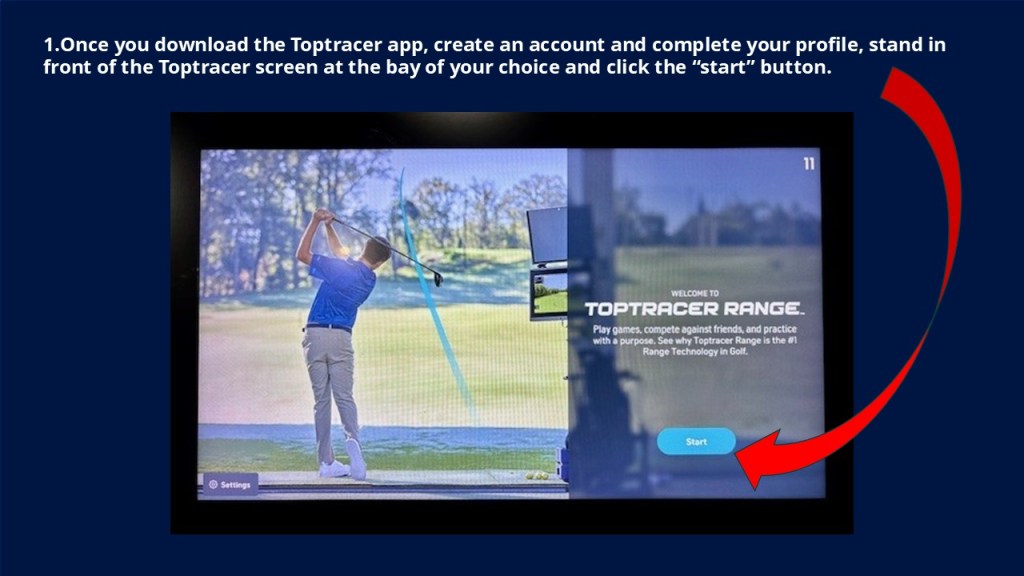
  1. Once you download the Toptracer app, create an account, and complete your profile, stand in front of the Toptracer screen at the bay of your choice and click the “start” button.

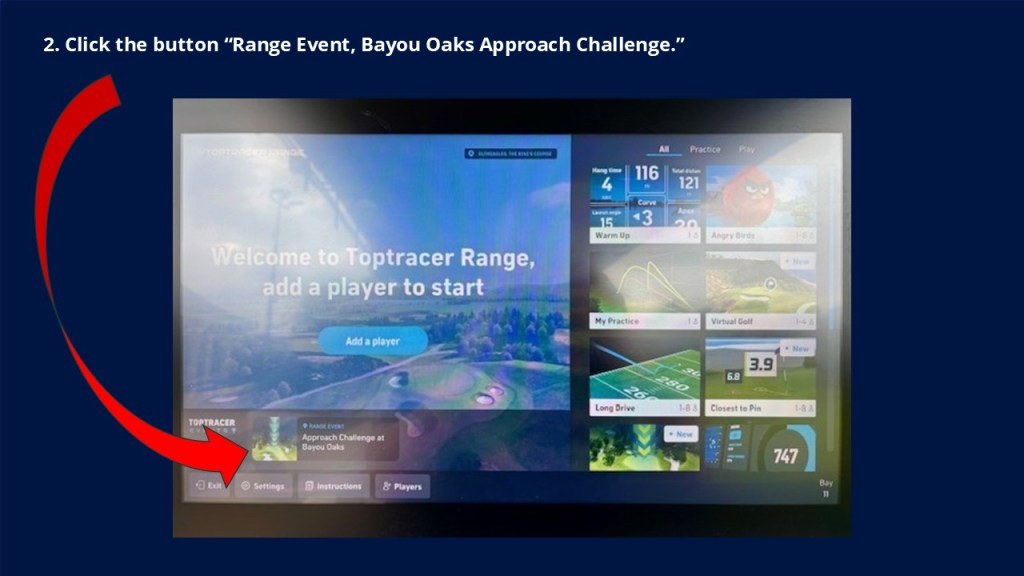
2. Click the button “Range Event, Approach Challenge at Bayou Oaks.”

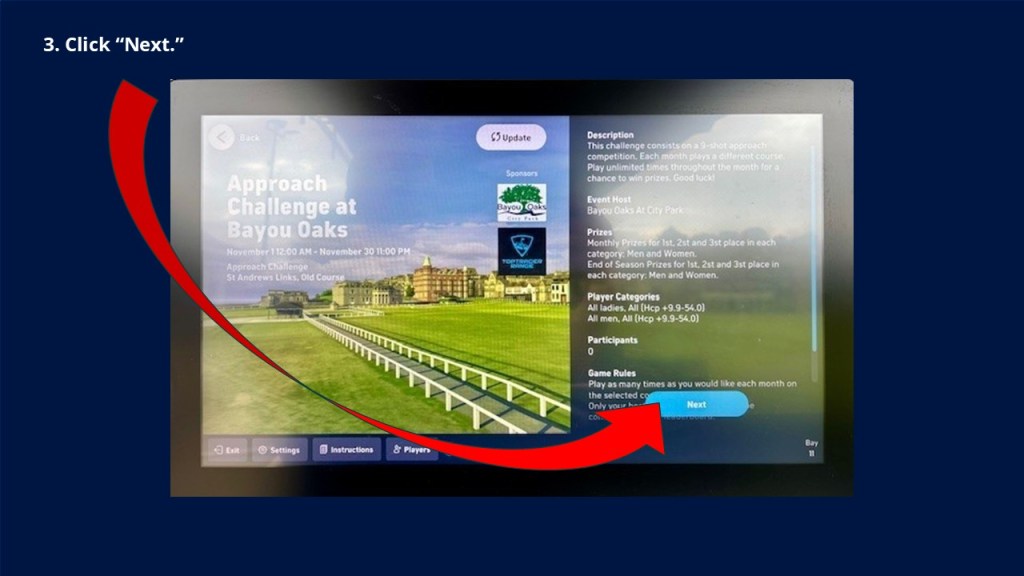
3. Click “Next”

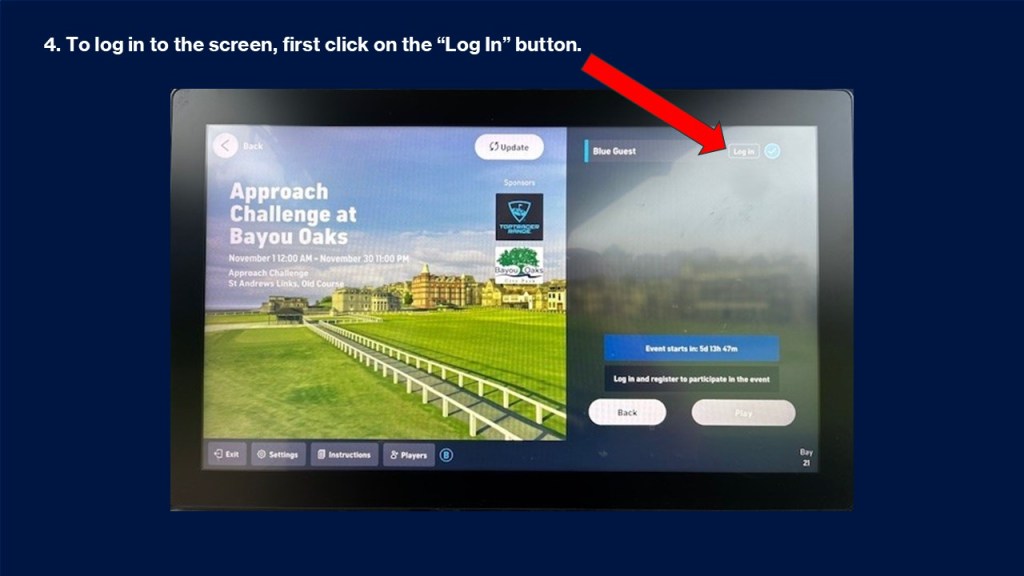
4. To log in to the screen, first click on the “Log In” button.

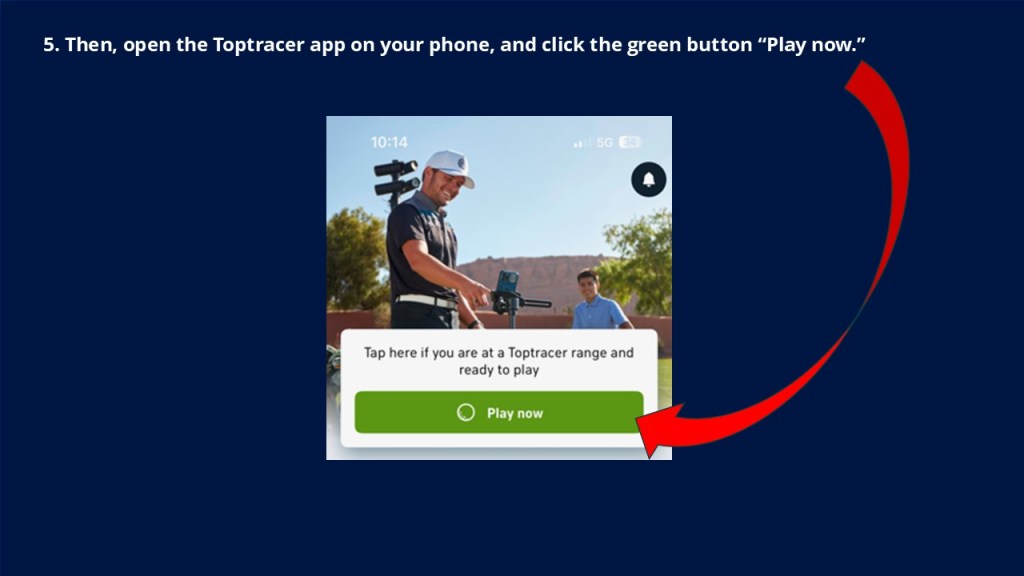
5. Then, open the Toptracer app on you phone, and click the green button “Play now.”

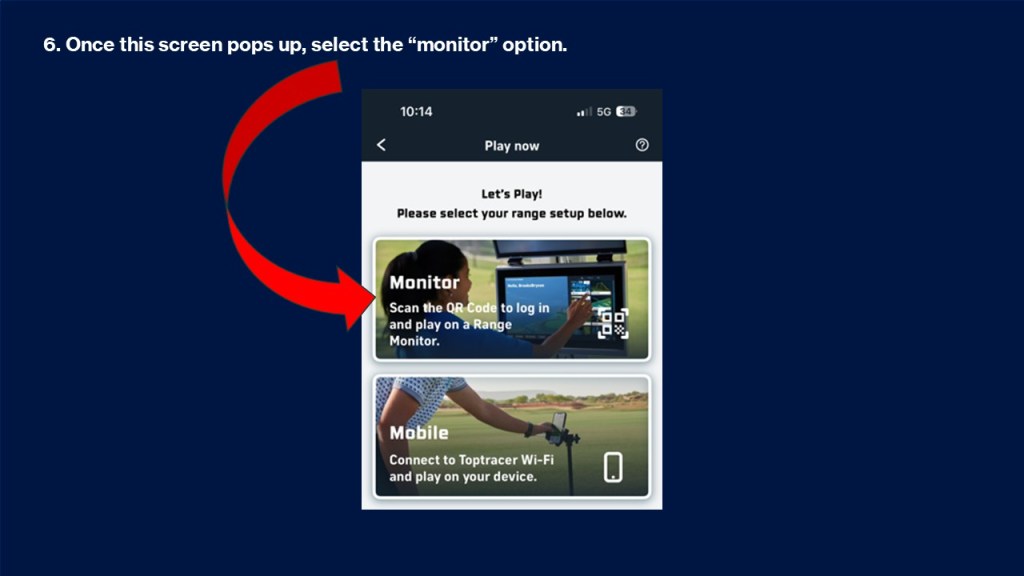
6. Once this screen pops up, select the “monitor” option.

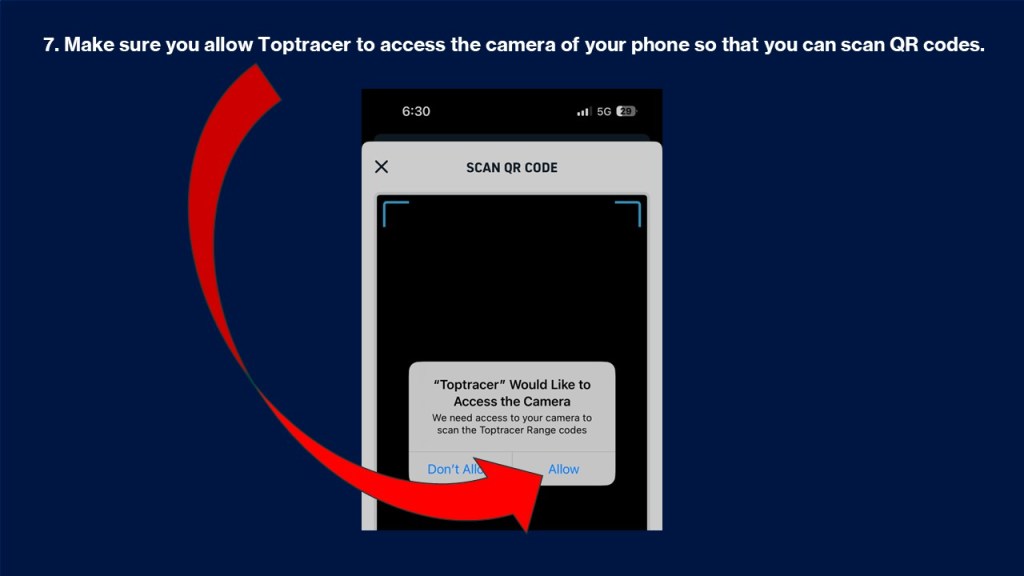
7. Make sure you allow Toptracer to access the camera of your phone so that you can scan QR codes.

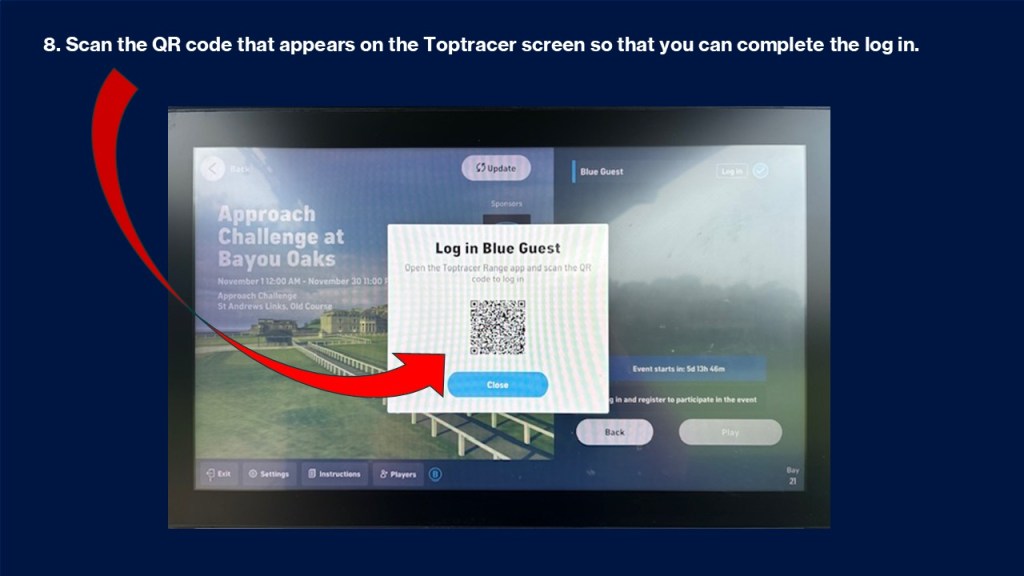
8. Scan the QR code that appears on the Toptracer screen so that you can complete the log in.

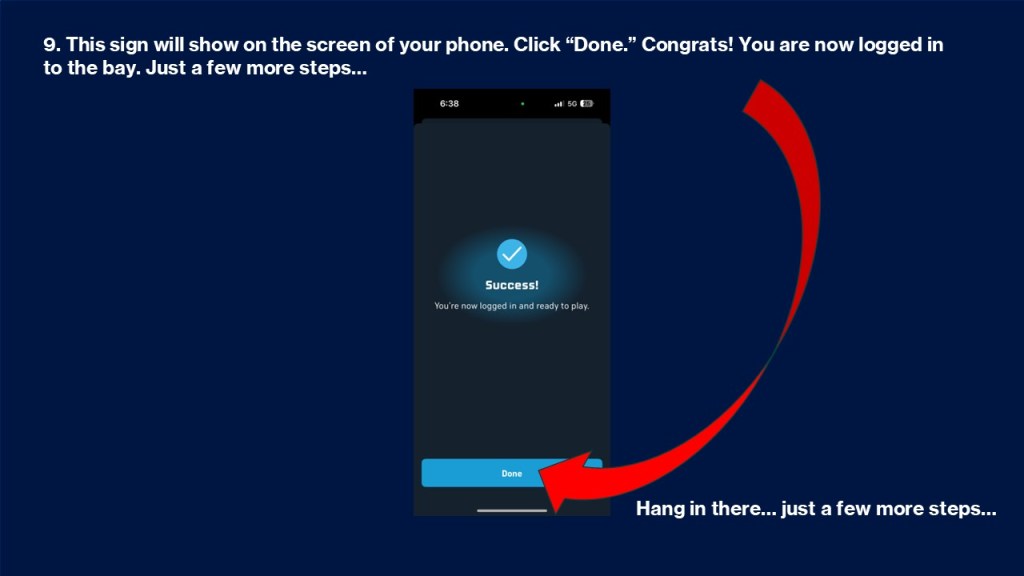
9. This sign will show on the screen of your phone. Click “Done.” Congrats! You are now logged in to the bay. Just a few more steps…

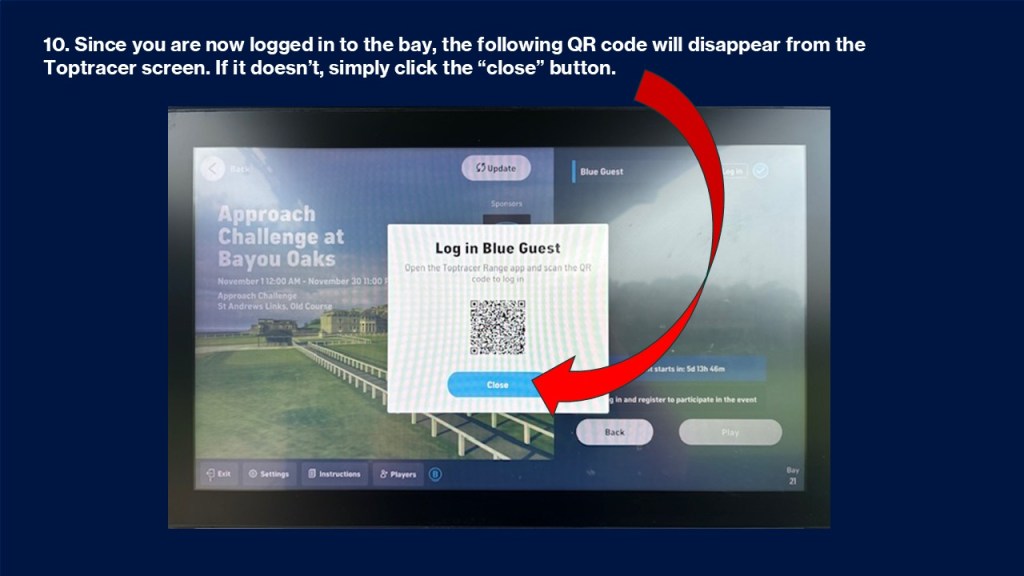
10. Since you are now logged in to the bay, the following QR code will disappear from the Toptracer screen.

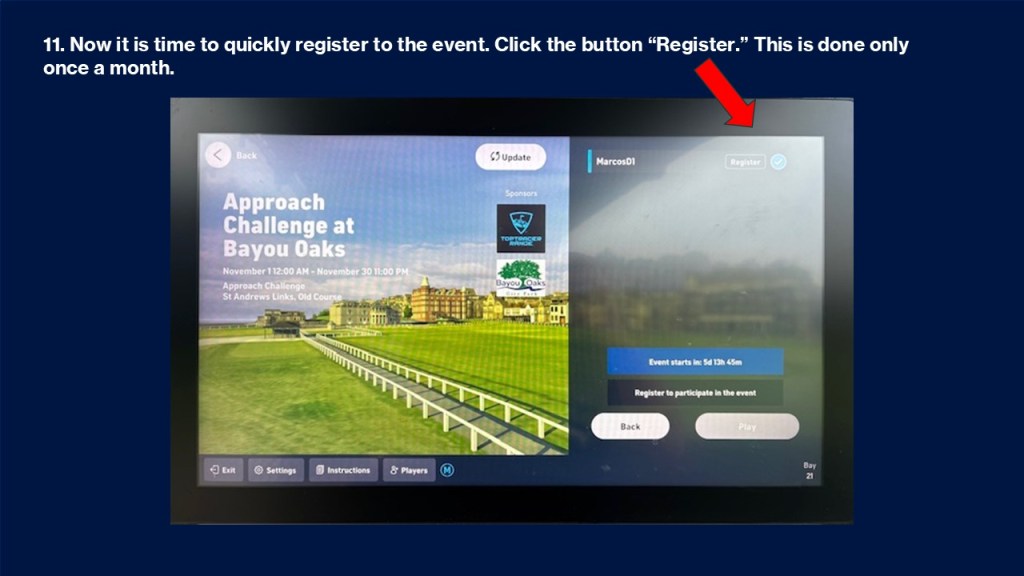
11. Now it is time to quickly register to the event. Click the button “Register.”

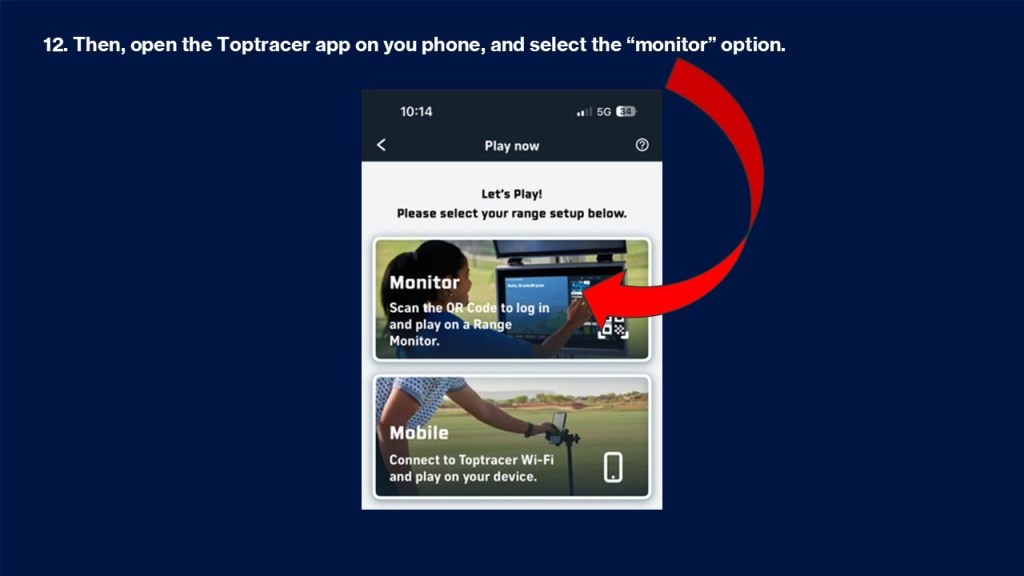
12. Then, open the Toptracer app on you phone, and select the “monitor” option.

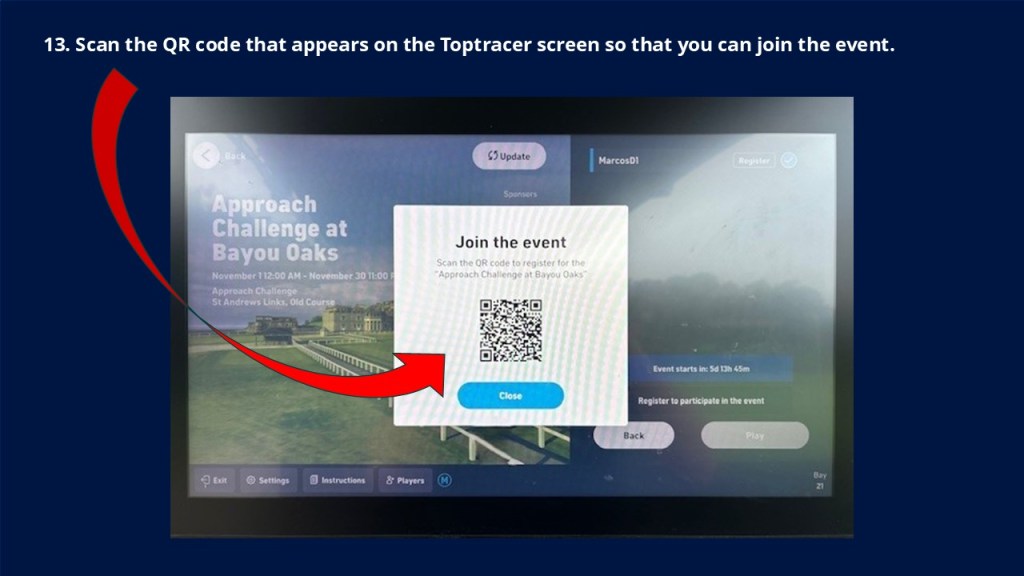
13. Scan the QR code that appears on the Toptracer screen so that you can join the event.

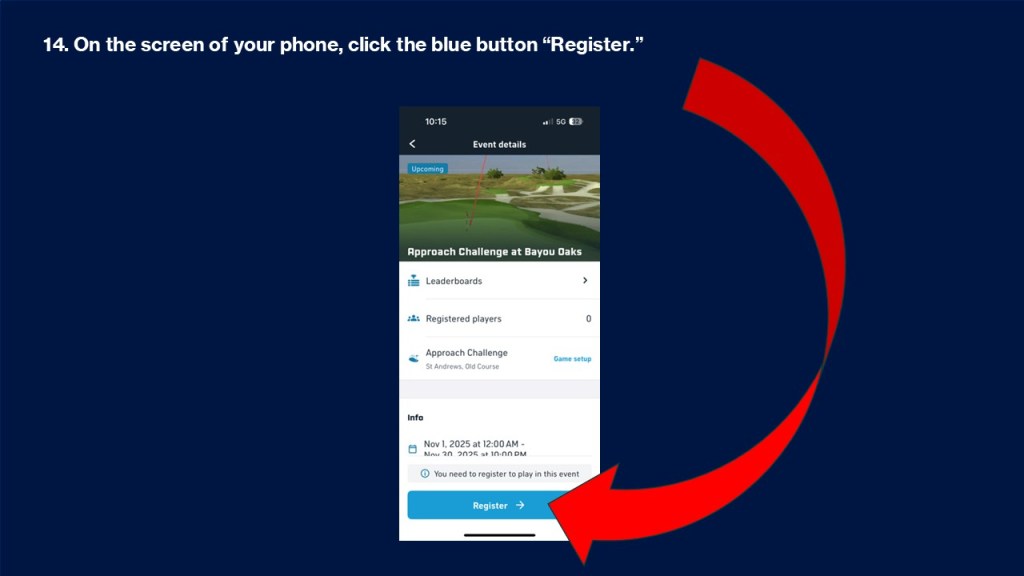
14. On the screen of your phone, click the blue button “Register.”

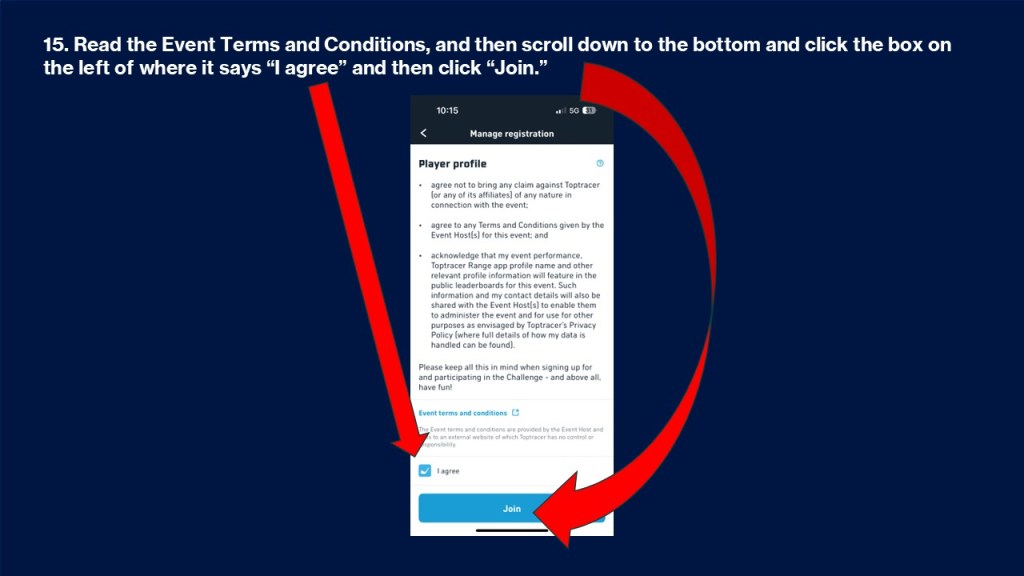
15. Read the Event Terms and Conditions, and then scroll down to the bottom and click the box on the left of where it says “I agree” and then click “Join.”

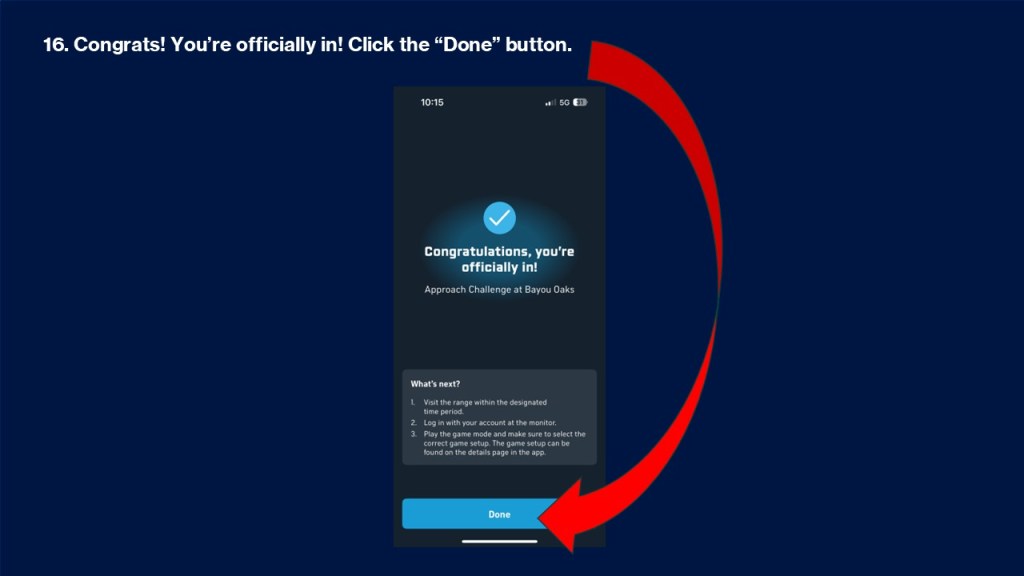
16. Congrats! You’re officially in! Click the “Done” button.

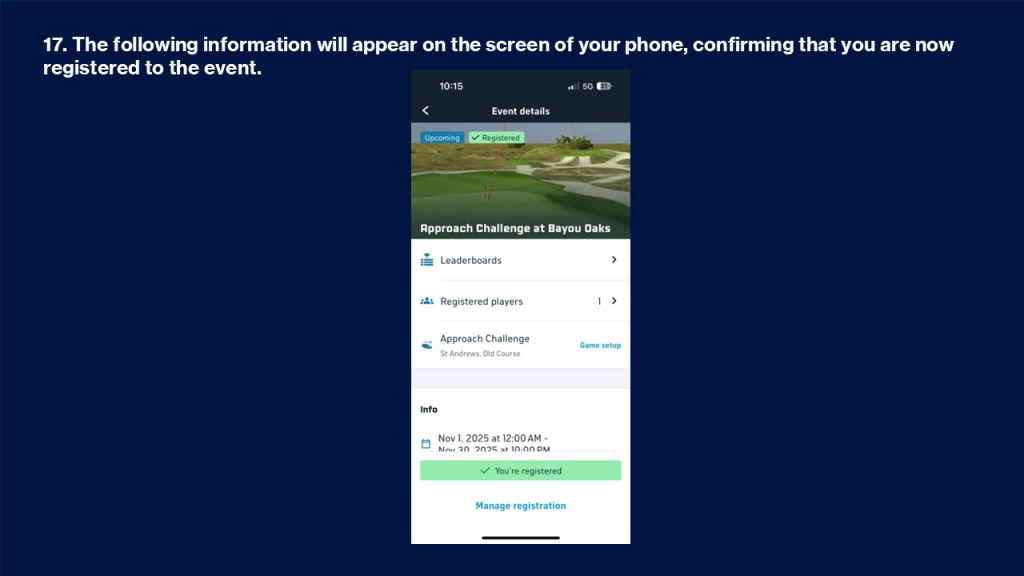
17. The following information will appear on the screen of your phone, confirming that you are now registered to the event.

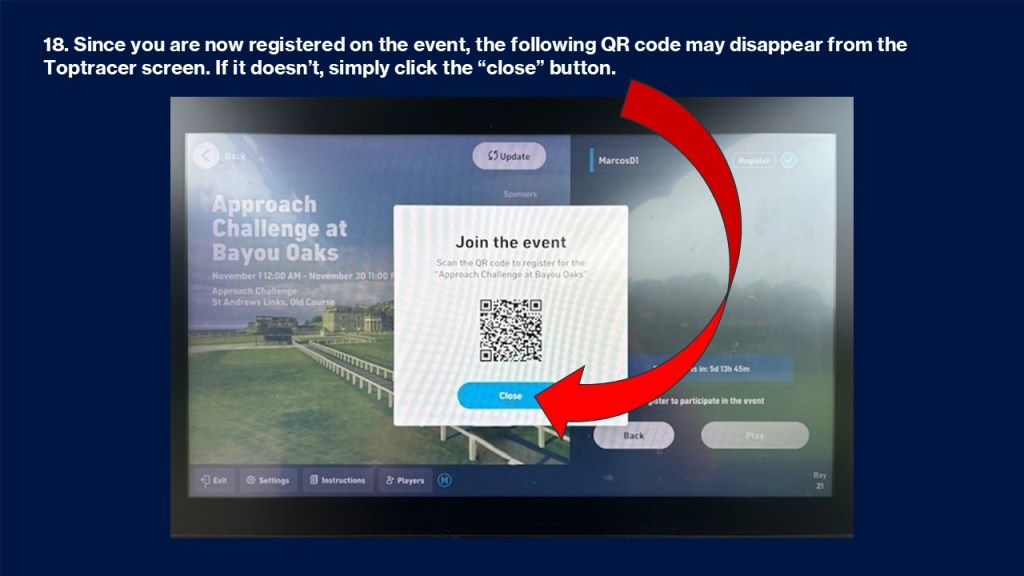
18. Since you are now registered on the event, the following QR code may disappear from the Toptracer screen. If it doesn’t, simply click the button “close.”

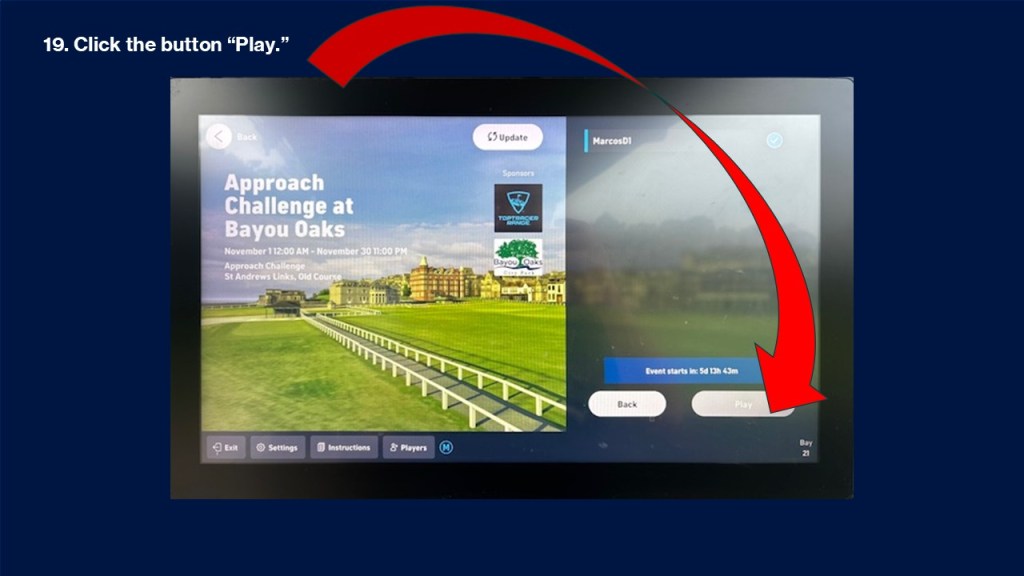
19. Click the button “Play.”

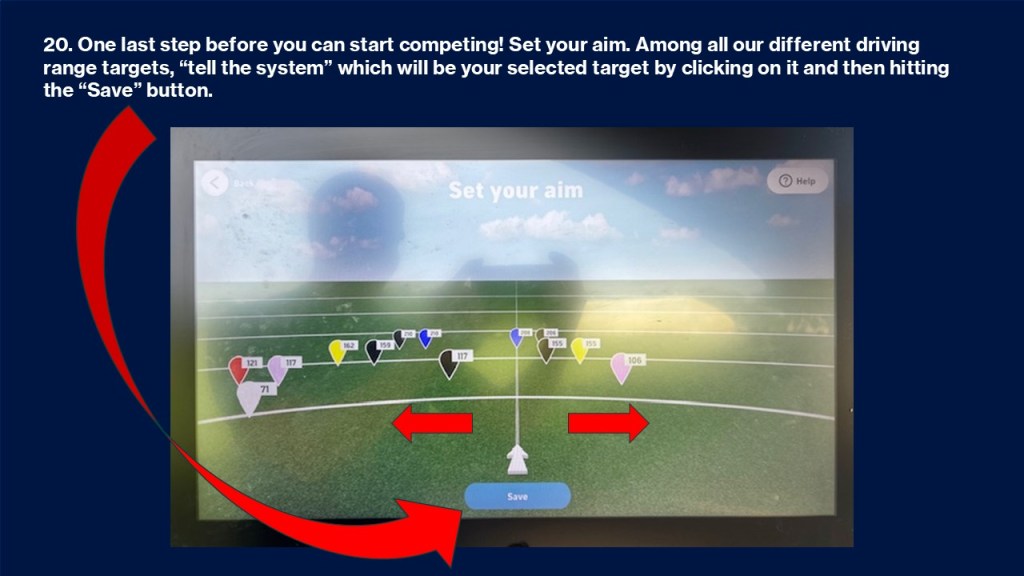
20. One last step before you can start competing! Set your aim. Among all our different driving range targets, “tell the system” which will be your selected target by clicking on it and then hitting the “Save” button.

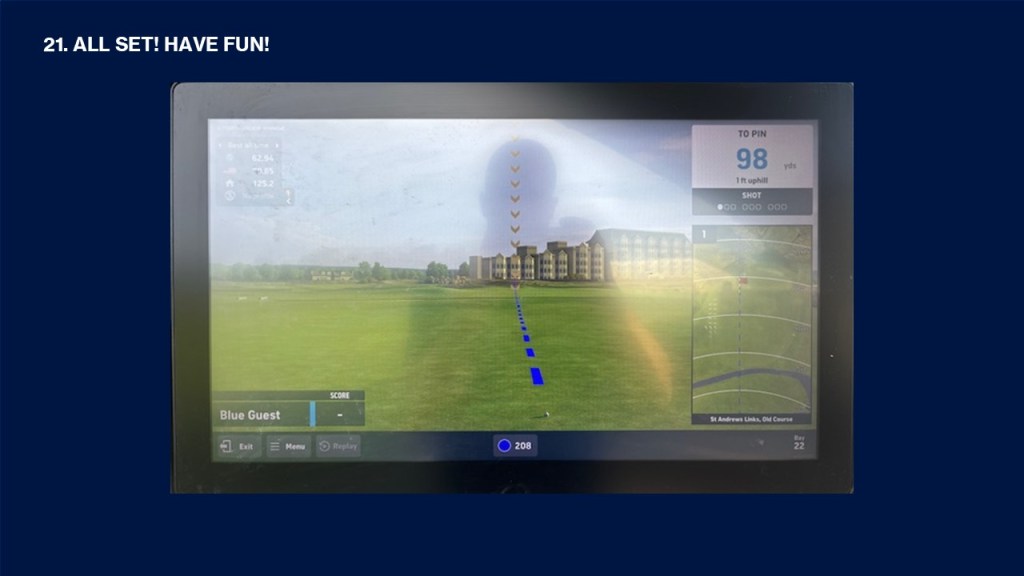
21. ALL SET! HAVE FUN!

Footer

About the Course

Prepare yourself for an unparalleled golfing experience. Our south course is a pleasure for golfers of any skill level to play. Test your accuracy with our fairways, water hazards and sand bunkers; we have everything you need to challenge you and improve your game.

  • facebook
  • Instagram
  • Mail

Weather

NEW ORLEANS WEATHER

Contact

Address: South Course 1040
Filmore Avenue New Orleans, LA 70124

Email: Cityparkgolf@bayoudistrictfoundation.com

Phone: +1-(504) 483-9410

Hours: Mon – Fri – 7:00AM – 7:00PM / Sat – Sun – 6:00AM – 7:00PM

Bayou Oaks at City Park | South Course 1040 Filmore Avenue New Orleans, LA 70124 | (504) 483-9410

Copyright © 2025 Bayou Oaks at City Park All Rights Reserved.
Powered by Powered by Golf Channel Solutions
  • Book a Tee Time
  • Request a Donation